
BIG IMAGES. SMALL FILES. ZERO ROCKET SCIENCE.
Resize, compress, and optimize your WordPress images without leaving your workflow.
Your images look fantastic. Your file sizes? Not so much.
Meet Imaginator, your friendly neighborhood rocket-powered image optimizer. It helps you shrink oversized images, reduce file sizes, and keep your WordPress Media Library under control.
No complicated settings. No mysterious optimization algorithms to configure. Just pick an image, choose a preset, and let our little rocket scientist do the heavy lifting.
SMALLER IMAGES. BIGGER POSSIBILITIES.
Whether you're building a new page, updating a blog post, or managing hundreds of images, Imaginator makes optimization ridiculously simple.
- Resize with precision. Set your desired image width while automatically preserving proportions.
- Compress without the drama. Adjust JPEG quality to find the right balance between image quality and file size.
- Create your own presets. Save your favorite width and quality combinations for quick, consistent results.
- No unnecessary upscaling. Smaller images stay at their original dimensions.
- JPG, PNG & WebP support. Optimize images from popular formats into lightweight JPEG files.
- Keep your originals. Quick Optimize creates a separate optimized copy without touching the source image.
- No thumbnail explosion. Imaginator avoids generating unnecessary additional image sizes.
QUICK OPTIMIZE. RIGHT WHERE YOU WORK.
Why leave your editor just to resize an image?
Imaginator brings its optimization tools directly into your WordPress workflow.
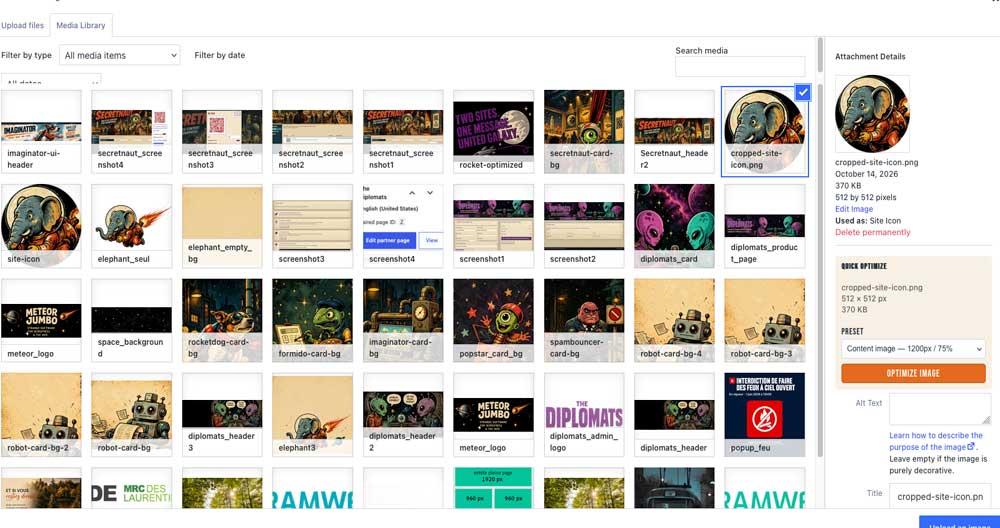
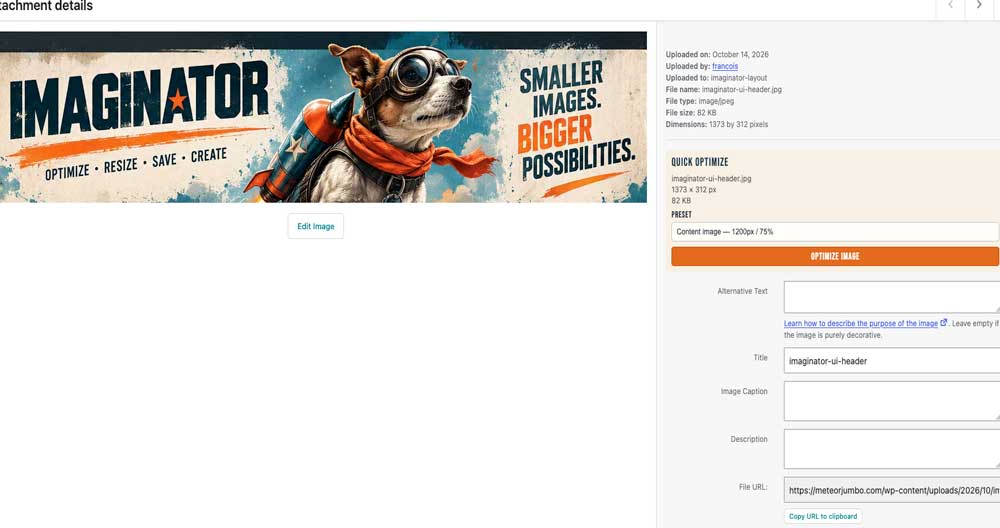
🚀 WordPress Media Library
Select an image, choose a preset, and optimize it without jumping between admin screens.
🚀 Gutenberg Image Blocks
Upload or select an image, optimize it from the block settings sidebar, and automatically replace the image in your block with the optimized version.
🚀 Divi Builder
Working inside Divi? Quick Optimize appears in the image selection window. Optimize your image and continue building without interrupting your creative flow.
🚀 Featured Images & Media Selection
Optimize images directly from supported WordPress media selection windows. Your newly optimized image is automatically selected and ready to insert.
YOUR OWN IMAGE OPTIMIZATION COMMAND CENTER.
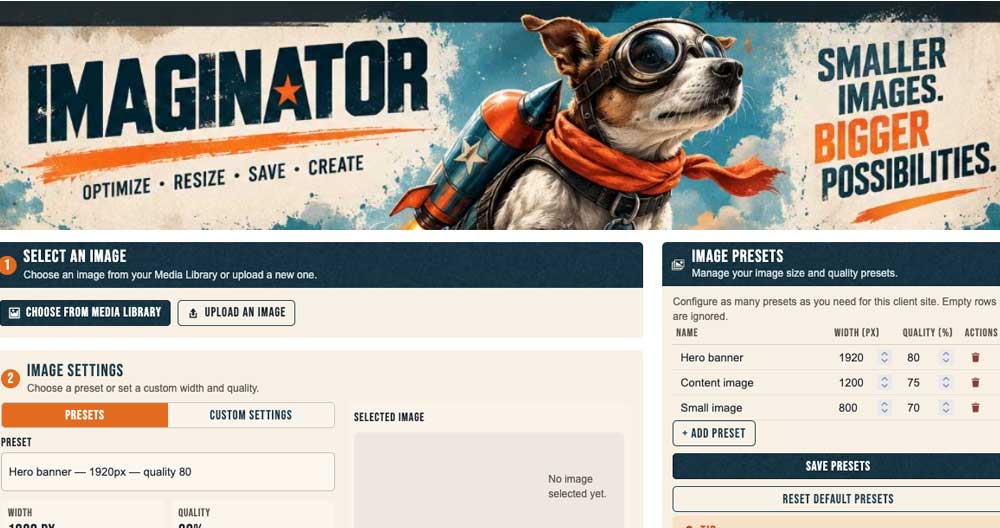
Need a little more control? Head over to the main Imaginator dashboard.
- Select your image. Pick an existing Media Library image or upload a new one.
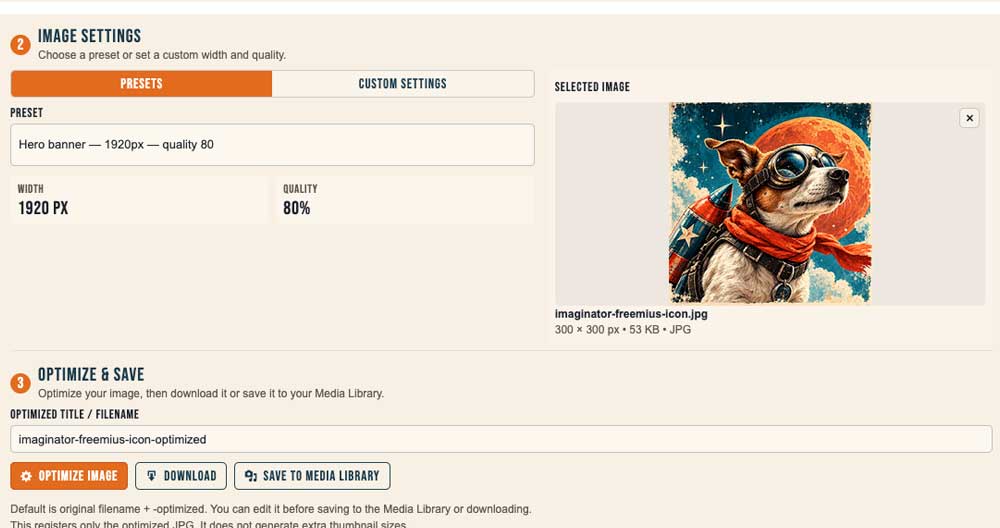
- Set your coordinates. Choose a saved preset or enter your own width and JPEG quality.
- Launch optimization. Generate your optimized image in seconds.
- Choose your destination. Download the optimized JPG or save it to your WordPress Media Library.
Simple enough for beginners. Flexible enough for everyday WordPress work.
LIGHTWEIGHT BY DESIGN. POWERED BY COMMON SENSE.
Imaginator focuses on the essentials: resizing, compression, and convenient integration with WordPress.
No giant optimization suite. No complicated cloud dashboard. No unnecessary bells, whistles, or interplanetary paperwork.
Just a practical little plugin with a rocket strapped to its back.
Imaginator — Give your images a lighter ride through the galaxy.
JPG, PNG & WebP Input
Supports popular image formats and produces optimized JPEG files.
Custom Width & Quality
Control image dimensions and JPEG compression with editable presets or custom values.
No Upscaling
Images smaller than the target width are never enlarged.
Non-Destructive Quick Optimize
Preserves your original attachment and creates a separate optimized copy.
WordPress, Gutenberg & Divi Integration
Optimize images directly from supported media selection interfaces and the Gutenberg Image block.
No Extra Thumbnail Generation
Saves optimized images without creating a collection of additional thumbnail sizes.
Local WordPress Processing
Uses WordPress's image-processing capabilities without requiring an external optimization service.